💳 How to Buy Crypto on Coinbase
Coinbase is one of the easiest exchanges for beginners. Follow these steps:
1. Create a Coinbase Account
- Go to Coinbase.com or download the Coinbase app.
- Tap Get Started and enter your name, email, and password.
- Verify your email, then complete identity verification with a photo ID.
2. Add a Payment Method
-
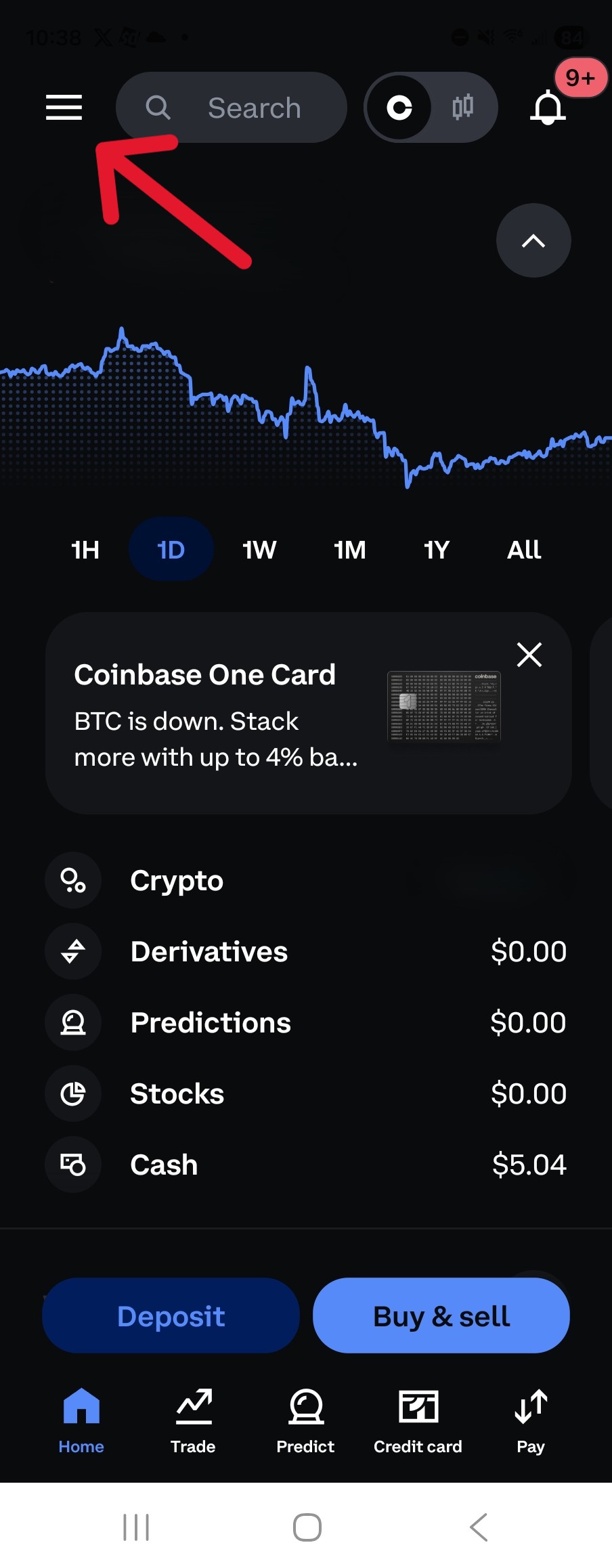
First item is to change to Advanced Mode. This allows for lower fees on trades. Select the hamburger menu in the upper left corner.
-
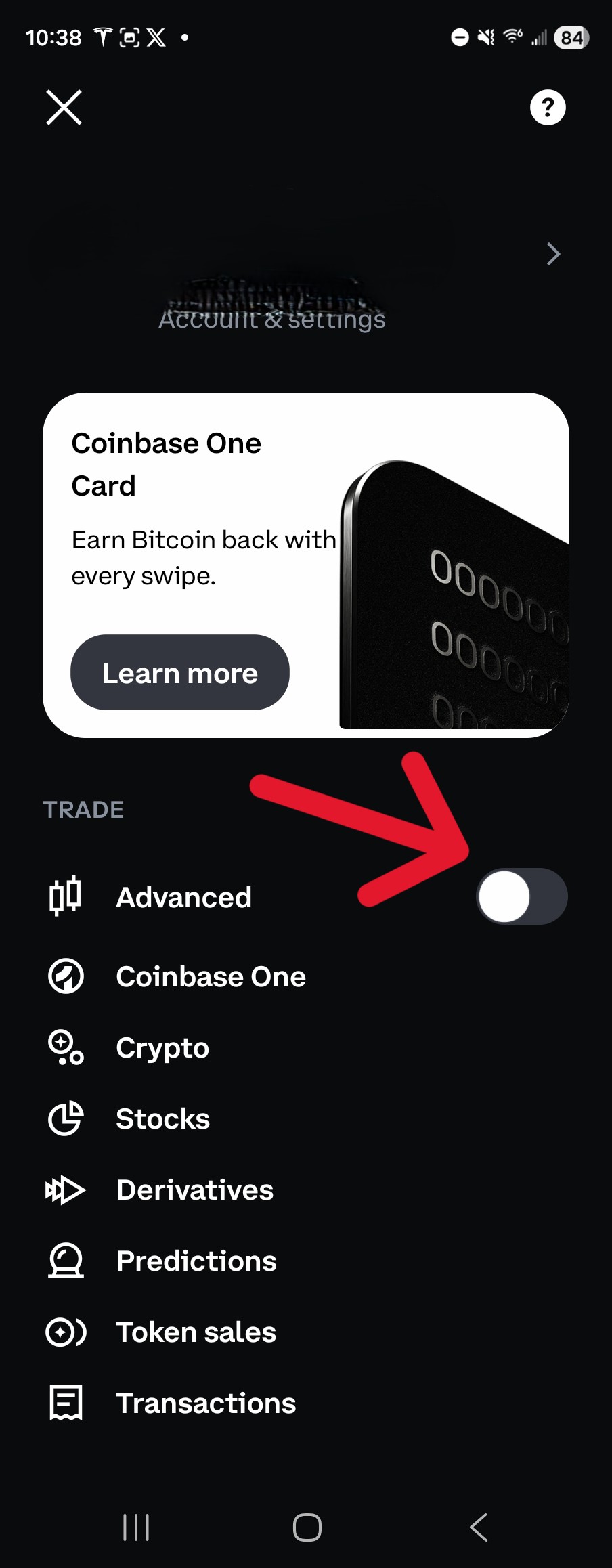
Flip the switch to advanced mode
-
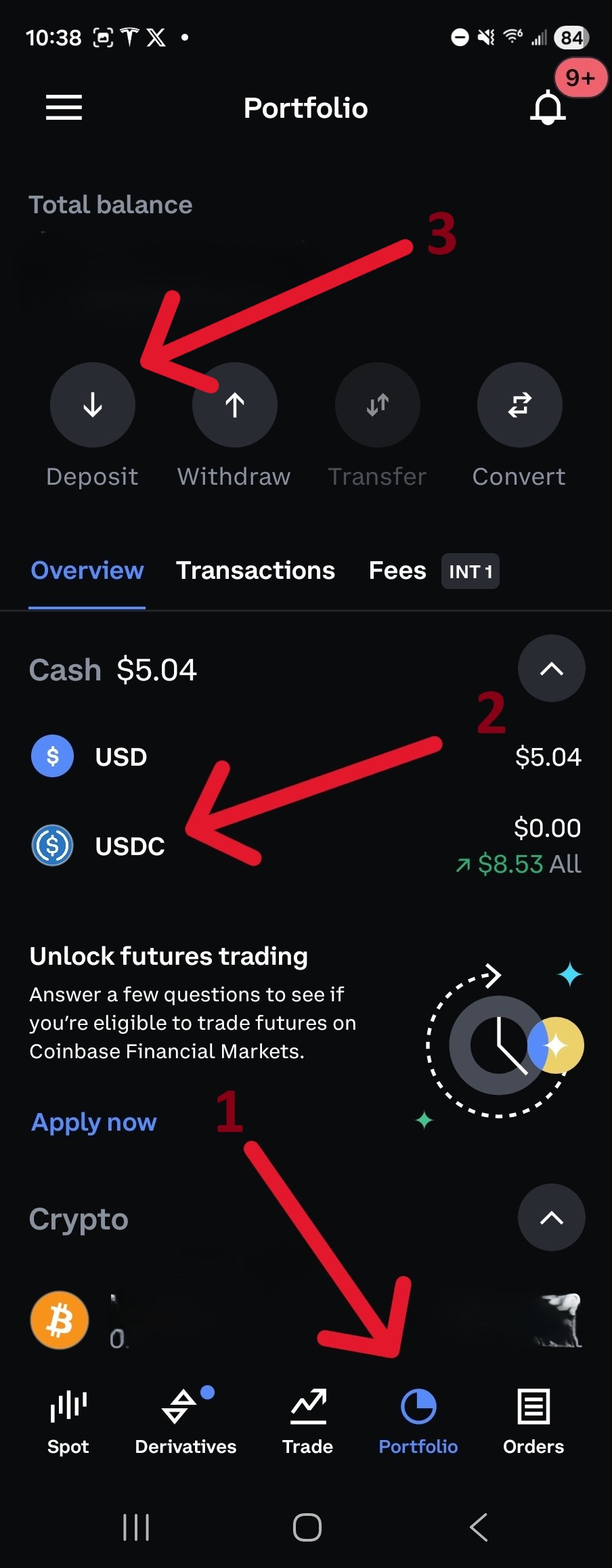
Navigate to the portfolio tab. Select USDC and then deposit.
-
Add a payment method if you do not have one. Choose
- Debit card / Apple Pay / PayPal -- May be available instantly
- Bank account (ACH) -- Usually has a hold
-
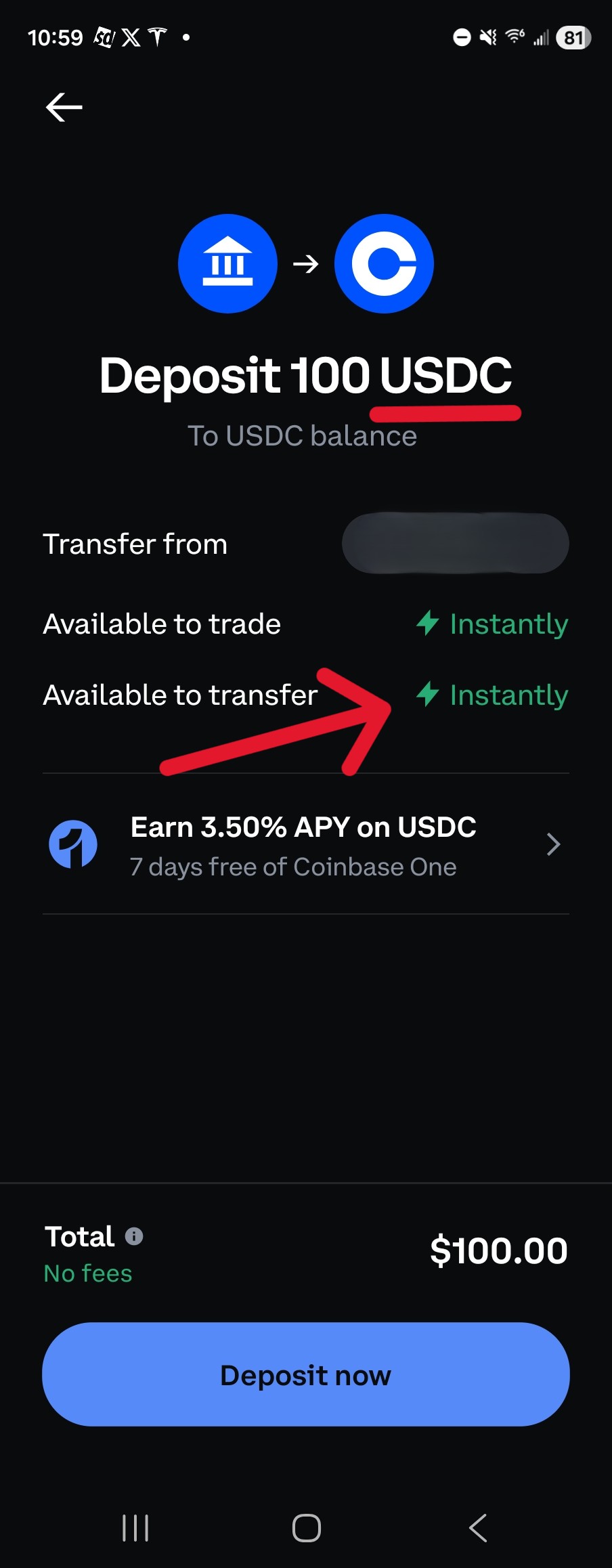
Enter amount. If desired, you can deposit directly as USDC (stable coin) by updating the Deposit dropdown. Check the availability for transfer. You want it to say Instantly.
3. Purchase Crypto
-
Tap Buy / Sell.
-
Select a crypto type:
- USDC (preferred) for stable value
- USDT, ETH, or SOL if desired
-
Enter the amount (in USD) and confirm.
⏱️ If you used a bank transfer, Coinbase may hold the purchased crypto until funds clear.
⏱️ You'll want to purchase a small amount of ETH (may be referred to as ERC-20) or SOL depending on the network you are sending on. This will cover the gas fees required to send the crypto.
4. Send to Your Wallet
-
Once available, go to My Assets → [Your Crypto] → Send.
-
Paste your non-custodial wallet address (Exodus, MetaMask, etc.).
-
Confirm the network matches your token:
- ERC-20 → Ethereum
- SOL → Solana
-
Approve the transaction.
⏱️ For additional confirmation, send a small amount to your wallet first to confirm the process correct.
✅ Your crypto will appear in your personal wallet shortly.